
INTRODUCTION
Companies that benchmark salaries see 25% less pay variance, but our platform had no way to do it
A National Bureau of Economic Research study of 586 firms found that salary benchmarking reduces pay variance by 25%, and 87.6% of HR professionals already rely on it. Our enterprise HRIS platform, serving 4M+ employees, didn't offer it. Top competitors like ADP and Payscale did.
Competitors that have salary benchmarking tools
PROBLEM
To create equitable pay structures, decision-makers need trustworthy market data
The objective of this project was to design a Minimum Viable Product (MVP) for a salary benchmarking tool. Access to accurate market data plays a crucial role in building fair and competitive compensation systems, from compensation analysts setting salary ranges for new positions to managers creating equitable offers and raises. Clients had already told us this directly: they wanted to offer fair, competitive pay, but didn't have the data to back up their decisions.

SOLUTION
A salary benchmarking tool that delivers clear, comprehensive market insights for any role
1/3
Pick a job title, or reference our job library, to find accurate comparisons
Job titles from a third-party vendor don't always map cleanly to a company's own role names. Users can select directly from our third-party data source's job library, or reference full role descriptions there to confirm they're benchmarking the right position before committing to it.


2/3
Narrow in further with detailed market filters
Once a role is set, users refine by location, industry, company size, and more, so every comparison reflects their specific market, not just their job title.

2/3
Viewing results without needing a data background
The outputs page shows median salary, percentile ranges, salary distribution, and total compensation, broken into individual widgets that are easy to scan.

RESEARCH
By gathering feedback directly from users, we surfaced core use cases and pain points
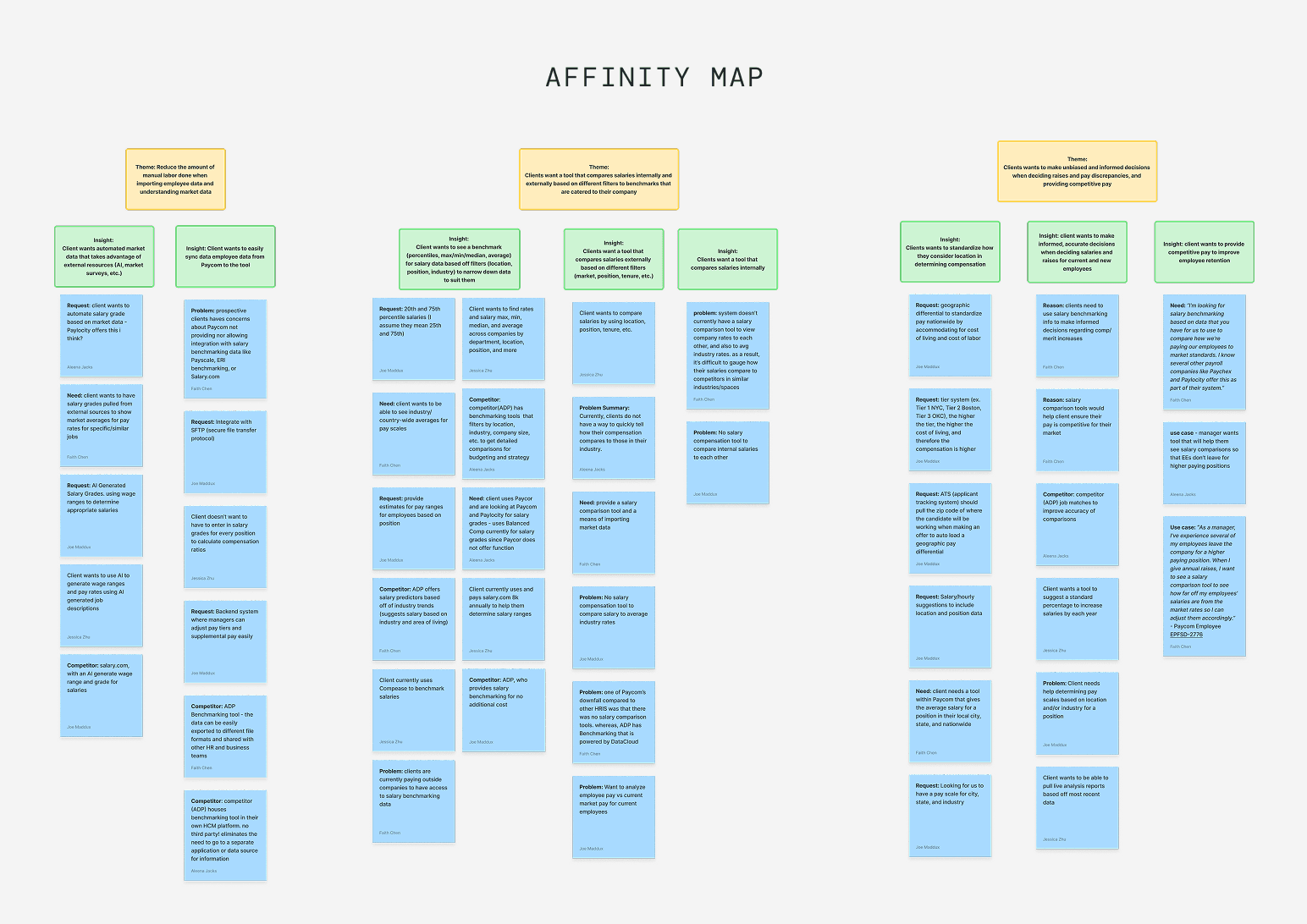
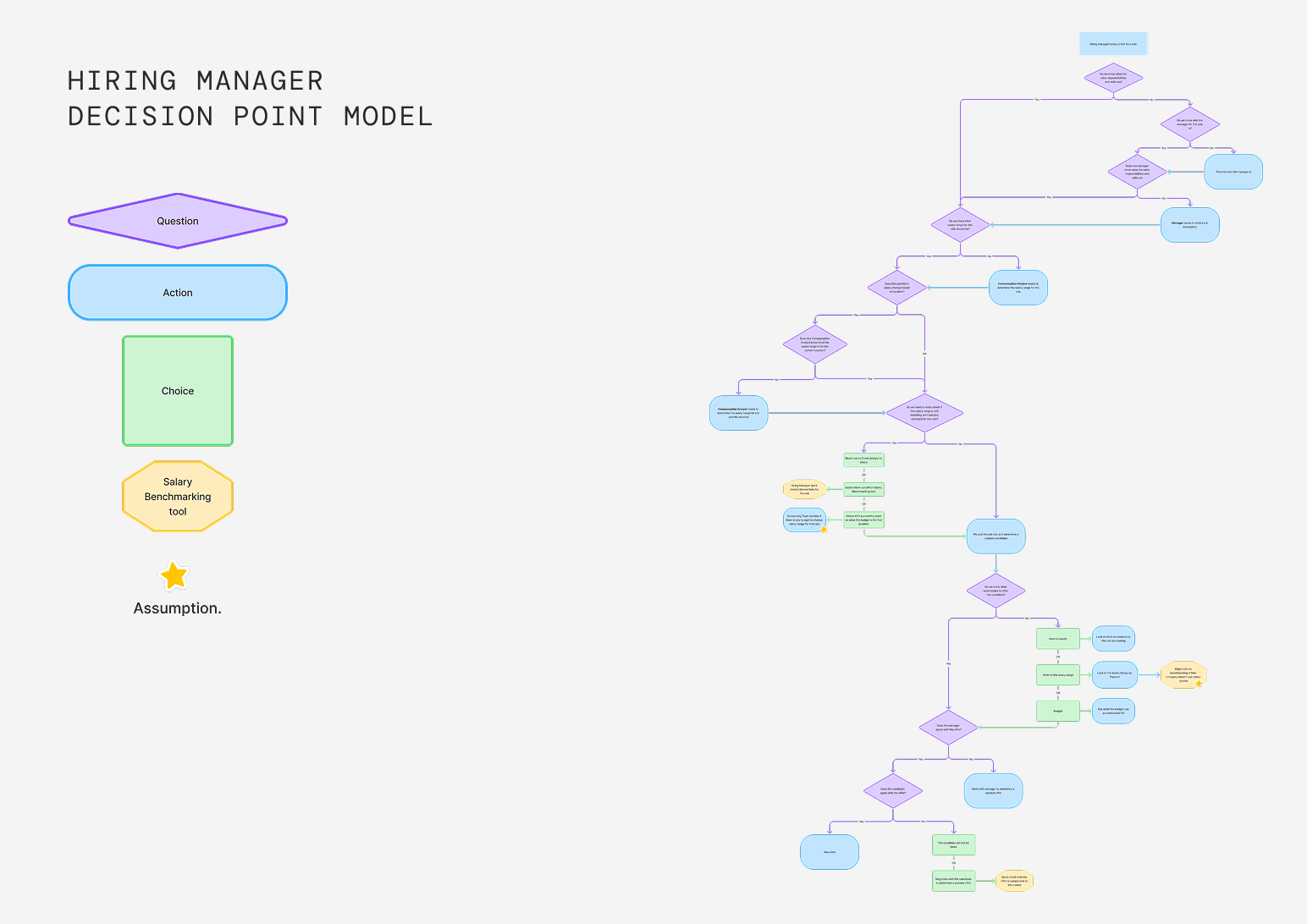
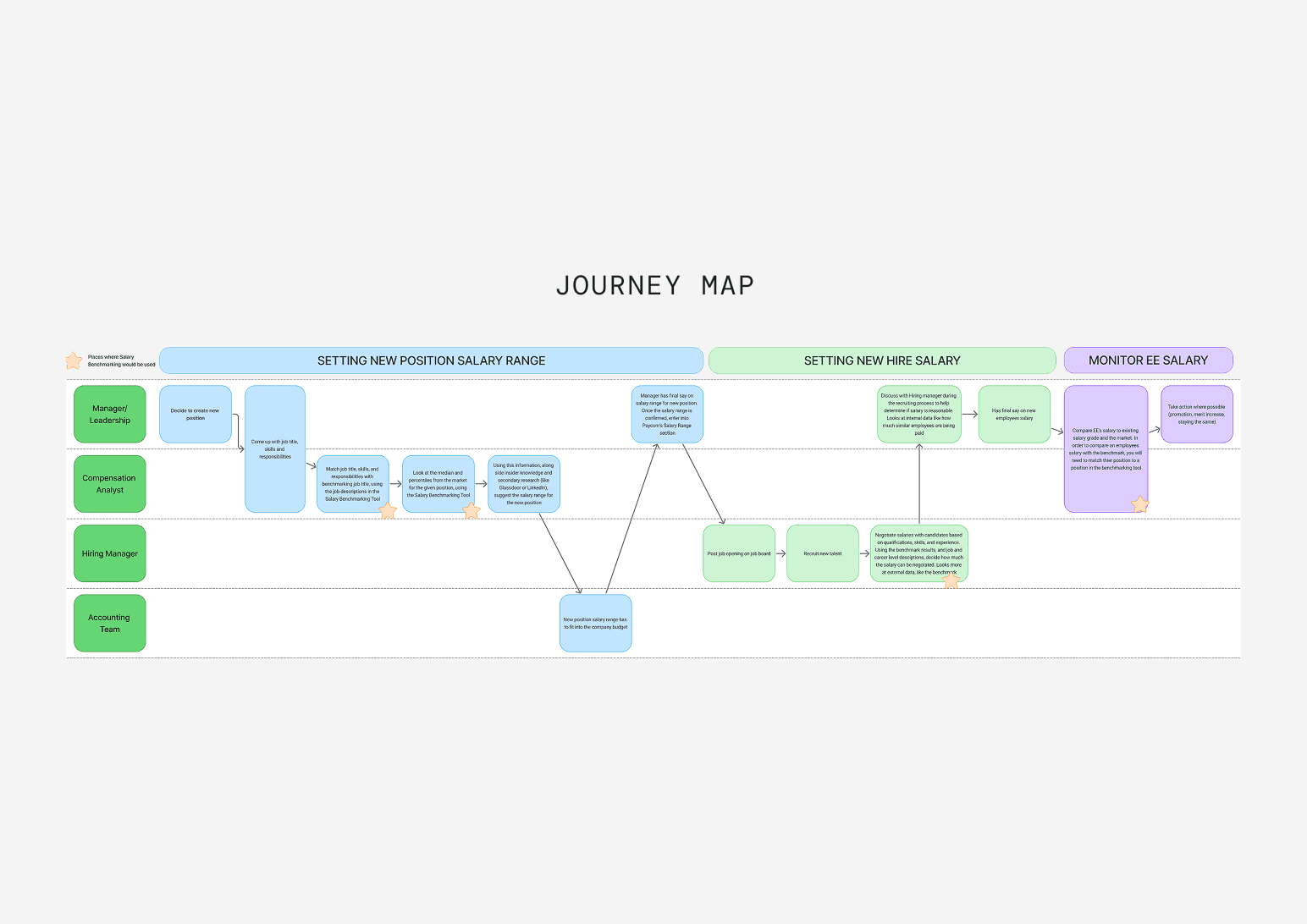
We gathered 40+ client feedback requests into an affinity map, ran a competitive analysis, and interviewed five participants to build decision point models and journey maps. Those participants included a compensation analyst, a recruiter, product champions, and design managers. Three key insights came out of it:
Salary benchmarking isn't a one-time task
Users need to repeatedly access compensation data throughout their workflows.
Tailoring data to every job role
Users need reliable compensation data that reflects all job levels and markets across their organization.
Power users vs. casual users
Power users need advanced and detailed insights, while casual users prefer quick access to simple, high-level data.
A look into our research…
FEATURE SCOPE
Since we were building an MVP, we had to narrow in on the features with the most impact
With 10+ designers, PMs, and developers involved, there were a lot of different opinions on where the product should go. To align the product vision with user needs, I transformed our research insights into a touchpoint model, mapping out points in a user's process where they'd need a particular function, then ranking those functions from most to least used. That model, not gut feelings, is what informed our decision of features to prioritize.

Table organizing most needed functions based off our Decision Point Models
DATA VISUALIZATION
With many user types, the UI needed unique layouts to present data that was both detailed and easy to scan
Experienced users, such as compensation analysts, often want dense, data-rich interfaces to access in-depth details, while hiring managers and other stakeholders prefer broader, high-level information that is easier to interpret at a glance
To ease hand-off to developers, I had to work within design system constraints and adapt our designs creatively
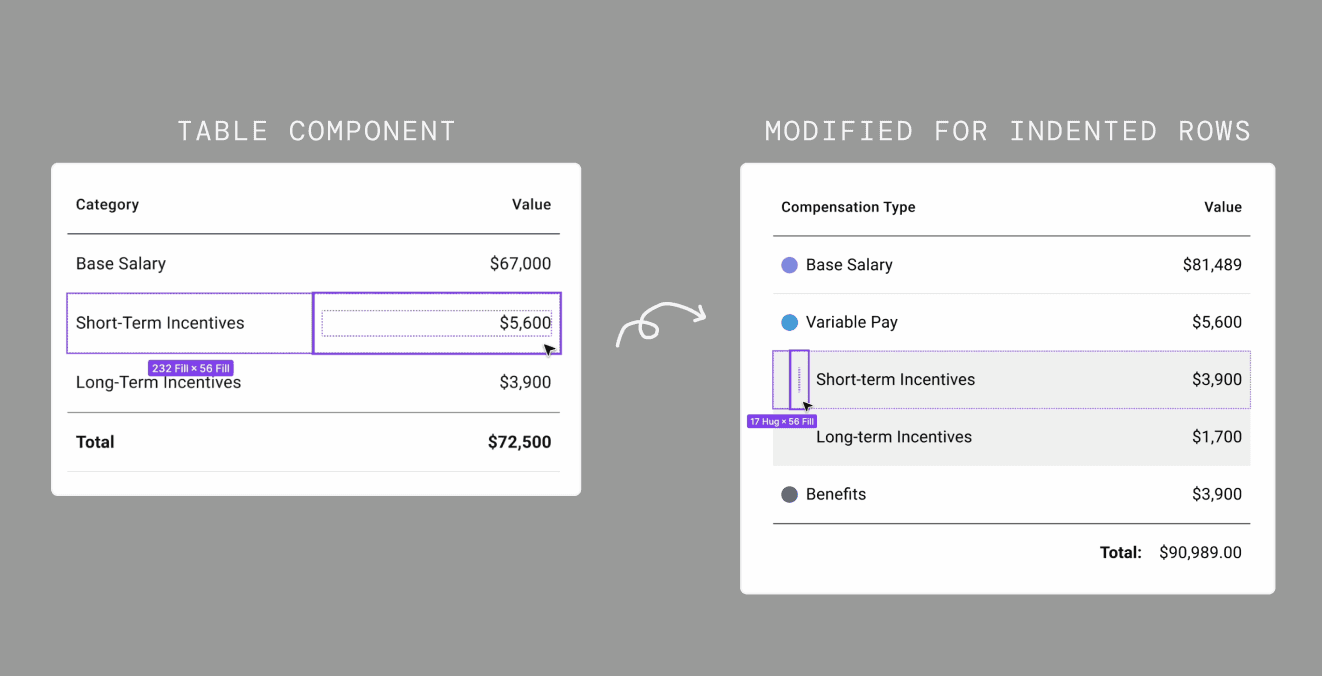
To present more in-depth compensation breakdowns, we explored using indented rows within our table. Since the design system didn’t support indentation, I consulted with developers and improvised by adding empty cells to simulate the effect. This achieved the desired visual hierarchy without adding extra development work.
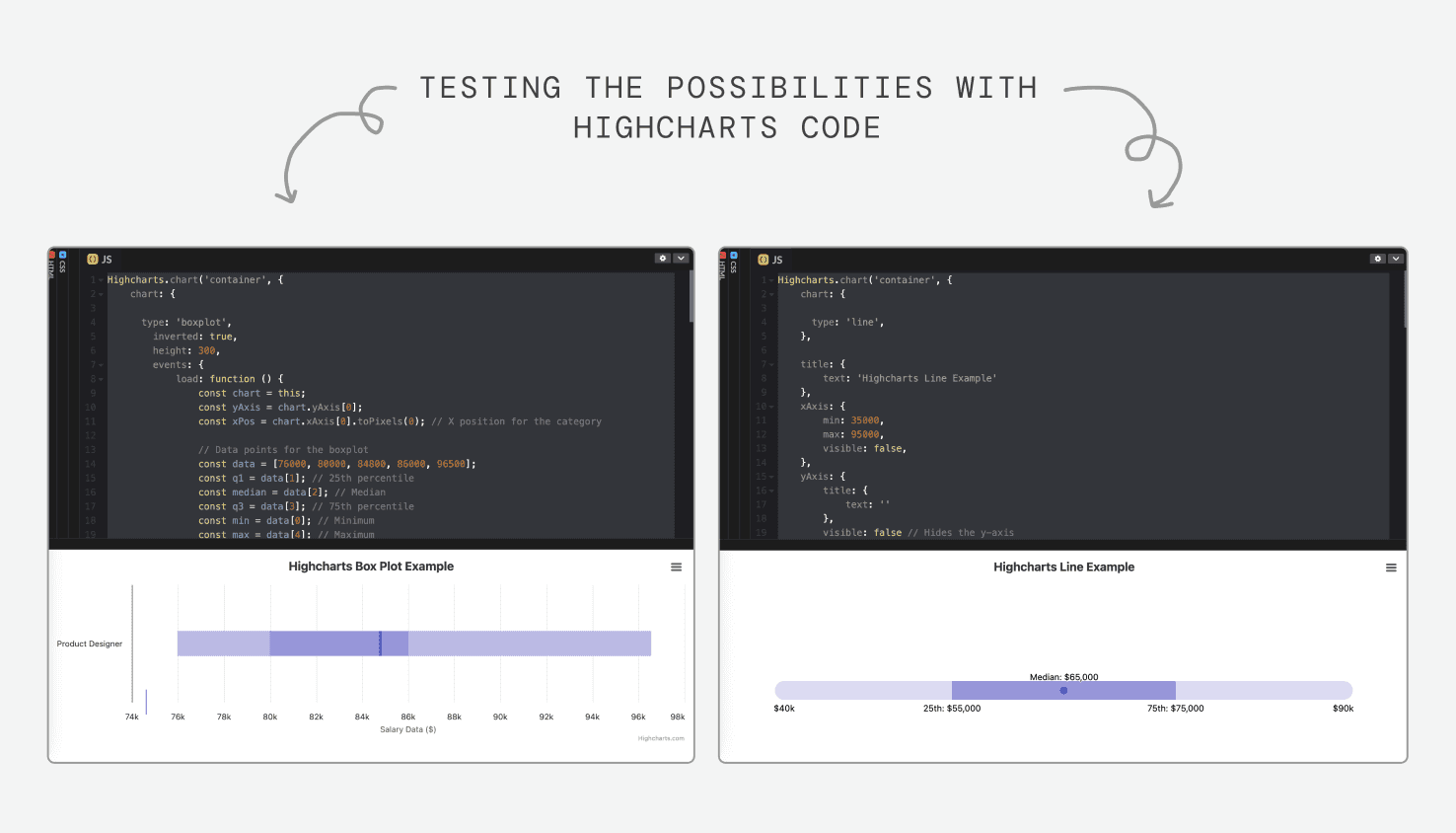
When Highcharts couldn't support the visualization we needed, I built and validated it myself
The percentile chart needed a simple line-based read of where a salary fell in the market. Highcharts had no built-in chart type for this, and adapting existing ones didn't work. I spent a week or two experimenting directly in the code editor before validating a working approach and translating it into Figma so it stayed implementation-ready for developers.
FUTURE DIRECTION
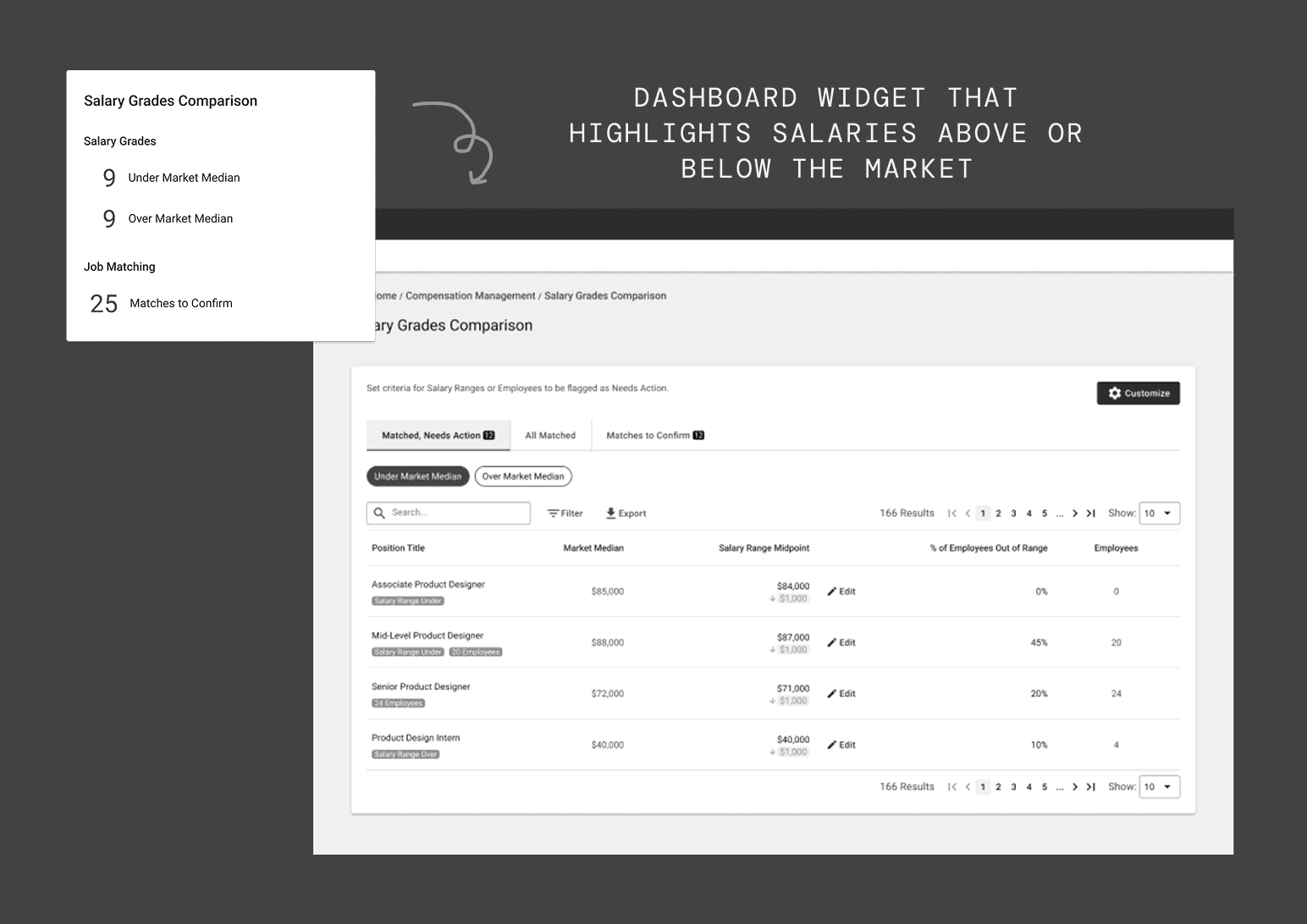
Identifying integration points to drive cross-product value
While the tool is powerful on its own, its true value comes from how its insights integrate across the system. For example, alerting users when salaries fall above or below market.
HAND-OFF
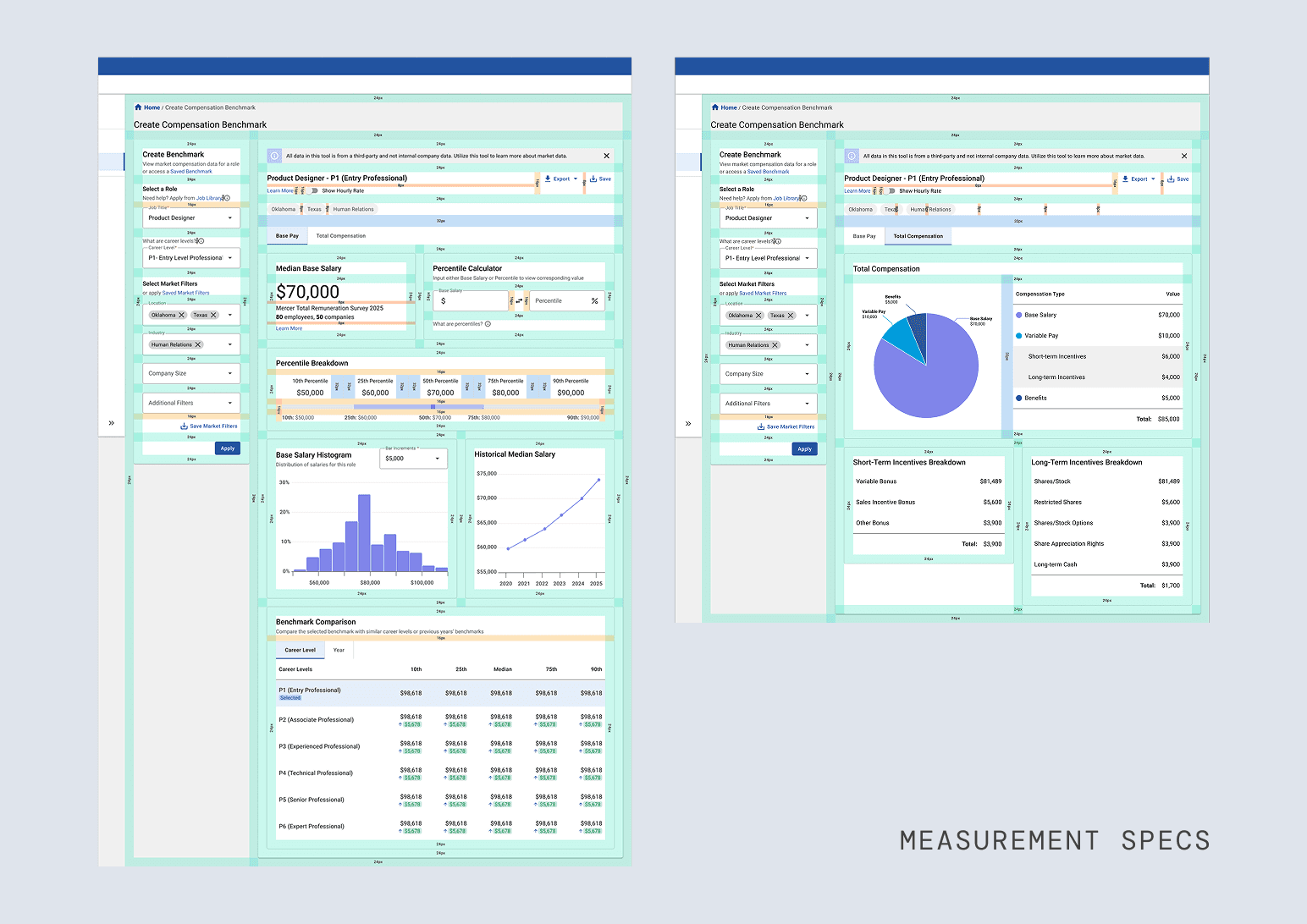
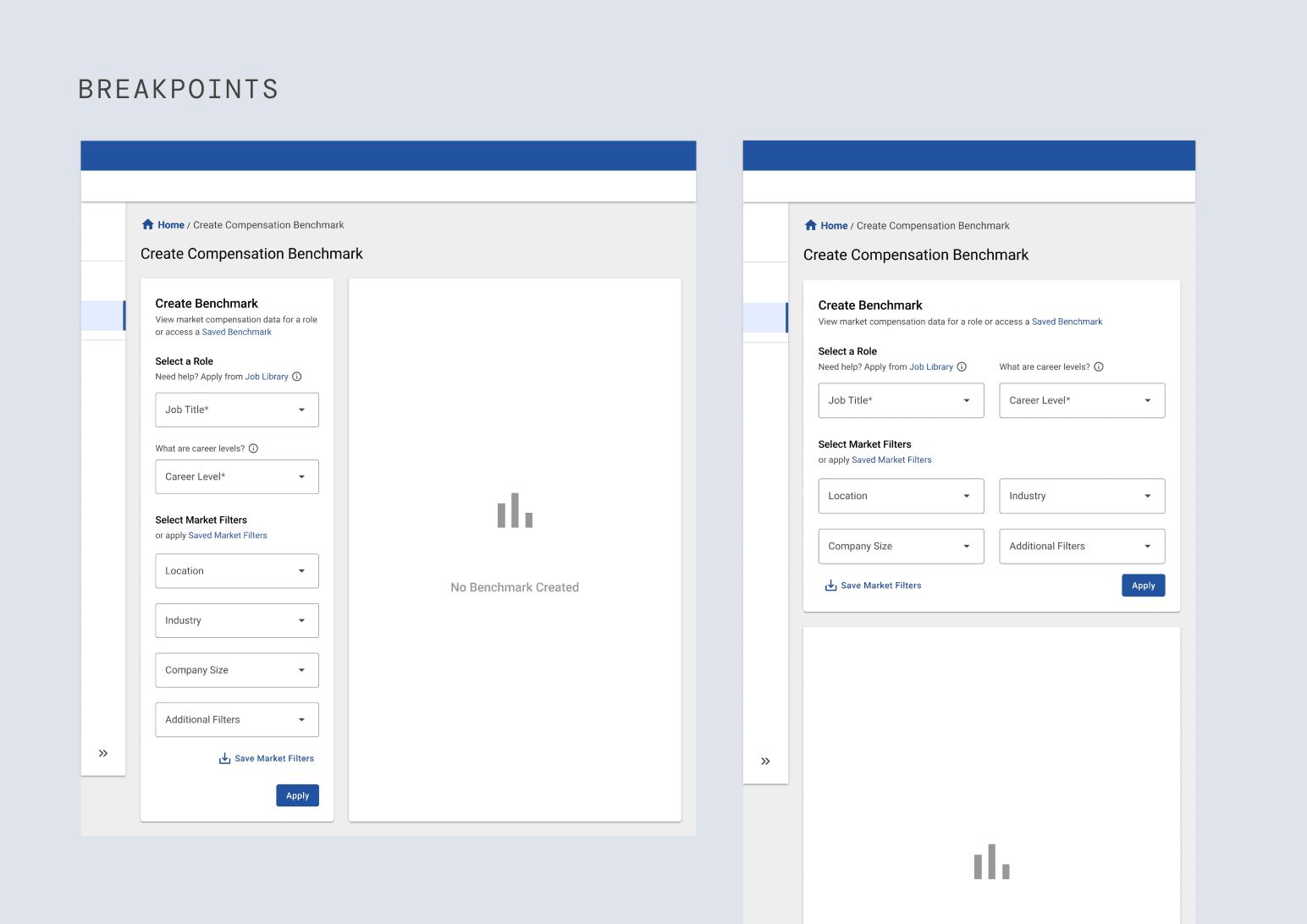
Wrapping up by creating specs, breakpoints, and final deliverables for development hand-off
After our internship, the project moved into development. To ensure a seamless handoff, we prepared detailed documentation covering specs, breakpoints, and guidelines.
REFLECTION
My key learnings from the internship
Special thank you to my manager, mentors, and team members who made this project possible!
Ensuring early stakeholder involvement = smoother outcomes
Without early involvement, stakeholders are less aligned, making buy-in harder to achieve
Real-world projects come with real-world limitations
Constraints are inevitable; clear priorities keep you on track
Never be afraid to ask questions
Being transparent about what I didn't know was the quickest way to gain context and deliver quality work
If I had more time…
Access for different users
Different types of users have different access levels to data
Handling jobs with limited data
Combining multiple jobs to give users an idea of a representative salary for unique roles