Robert Ferguson Observatory

Bringing clarity and wonder to public astronomy online
Role

Product Designer

Team

3 Designers

4 Devs

1 PM

skills

Design Systems

User Testing

Visual Design

Timeline

May - Aug 2025

Introduction

The Robert Ferguson Observatory is a nonprofit with over 10,000 annual website visitors

The observatory, also known as RFO, is dedicated to promoting public science and astronomy education through a variety of astronomy-related programs such as events, volunteer opportunities, and ticketed experiences.

RFO's website prior to the redesign

Introduction

The Robert Ferguson Observatory is a nonprofit with over 10,000 annual website visitors

The observatory, also known as RFO, is dedicated to promoting public science and astronomy education through a variety of astronomy-related programs such as events, volunteer opportunities, and ticketed experiences.

RFO's website prior to the redesign

Introduction

The Robert Ferguson Observatory is a nonprofit with over 10,000 annual website visitors

The observatory, also known as RFO, is dedicated to promoting public science and astronomy education through a variety of astronomy-related programs such as events, volunteer opportunities, and ticketed experiences.

RFO's website prior to the redesign

Problem

Unintuitive navigation and lack of visual appeal weaken the observatory’s mission

Lacked the "magic" of the universe

Deliver the kind of "wow" factor the observatory's mission calls for

Mobile experience was unintuitive

Elements like the calendar did not transfer well to mobile

Key flows took too many clicks

Finding events, becoming a volunteer, and becoming a member were too difficult

Solution Preview

14+ unique screens across desktop and mobile

1/3

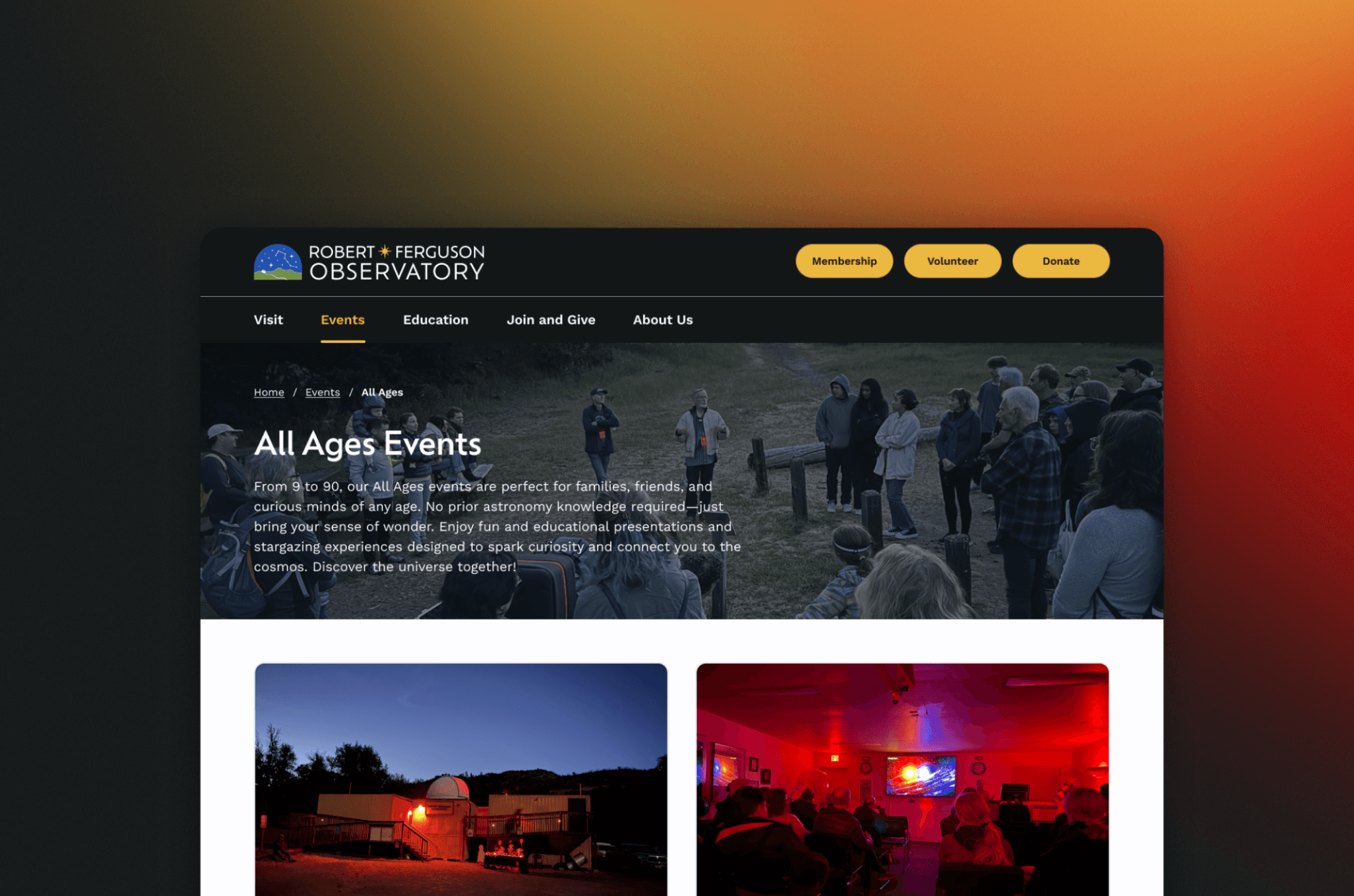
Created a cohesive visual identity

Introduced a refreshed color palette, updated typography, and unified design language to strengthen the observatory's overall visual presence.

1/3

Created a cohesive visual identity

Introduced a refreshed color palette, updated typography, and unified design language to strengthen the observatory's overall visual presence.

1/3

Created a cohesive visual identity

Introduced a refreshed color palette, updated typography, and unified design language to strengthen the observatory's overall visual presence.

2/3

Optimized experience for mobile devices

Ensured every page translated seamlessly to mobile by adapting layouts and adjusting components wherever the original designs didn’t work effectively.

BEFORE

AFTER
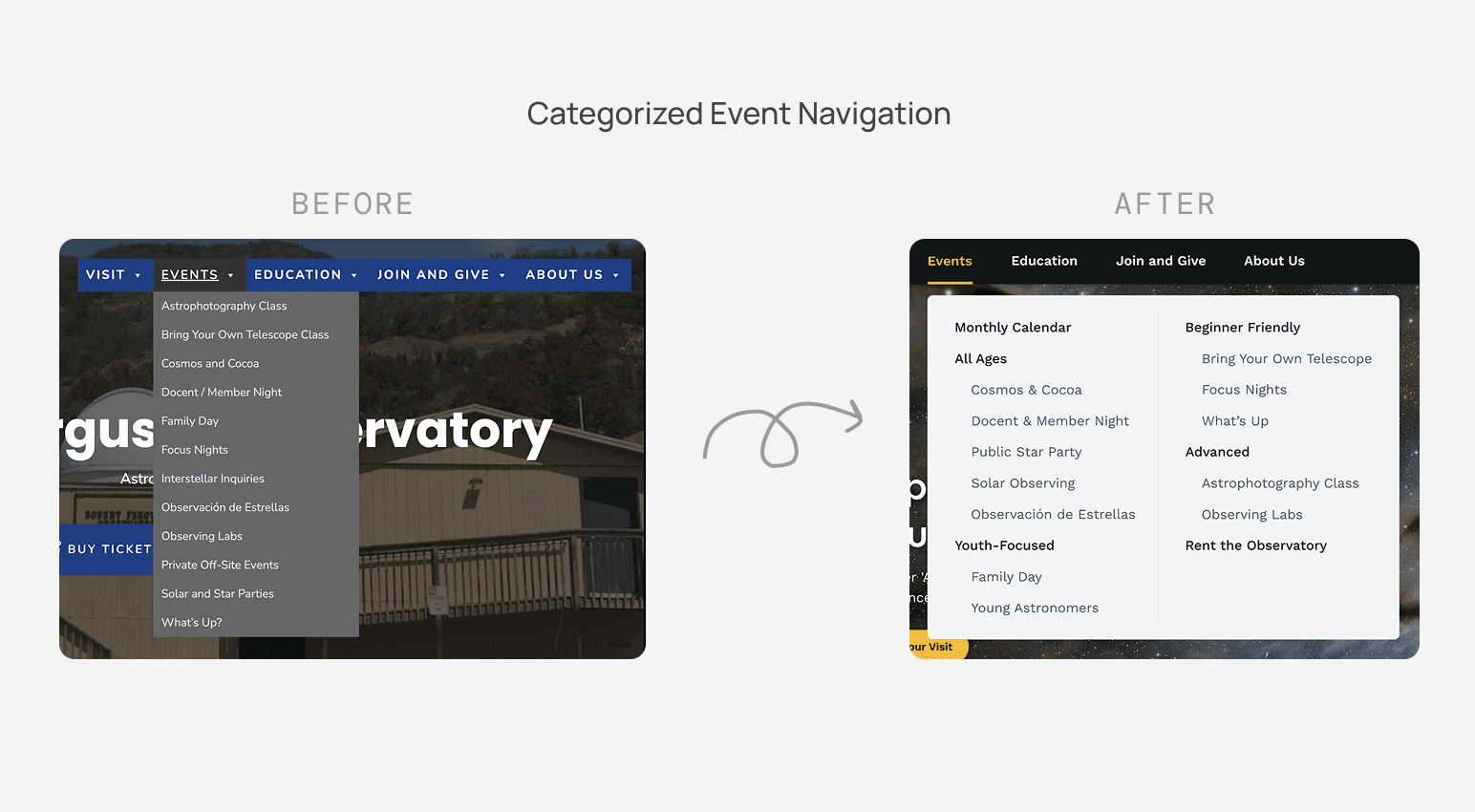
3/3

Redesigned the site map and navigation to streamline user flows and reduce cognitive load

Reorganized the information architecture by creating clear categories for different event types, removing redundant pages, and consolidating related content.

3/3

Redesigned the site map and navigation to streamline user flows and reduce cognitive load

Reorganized the information architecture by creating clear categories for different event types, removing redundant pages, and consolidating related content.

3/3

Redesigned the site map and navigation to streamline user flows and reduce cognitive load

Reorganized the information architecture by creating clear categories for different event types, removing redundant pages, and consolidating related content.

process

By watching users navigate the website during testing, we uncovered key pain points across mobile and desktop

Using UserTesting.com, we tested 10 participants on both desktop and mobile across five key pages: homepage, events, volunteer, membership, and donations. To analyze the results, we conducted affinity mapping to uncover key themes and created Venn diagrams to compare findings between desktop and mobile.

Venn diagram reflecing our findings from usability testing

process

By watching users navigate the website during testing, we uncovered key pain points across mobile and desktop

Using UserTesting.com, we tested 10 participants on both desktop and mobile across five key pages: homepage, events, volunteer, membership, and donations. To analyze the results, we conducted affinity mapping to uncover key themes and created Venn diagrams to compare findings between desktop and mobile.

Venn diagram reflecing our findings from usability testing

process

By watching users navigate the website during testing, we uncovered key pain points across mobile and desktop

Using UserTesting.com, we tested 10 participants on both desktop and mobile across five key pages: homepage, events, volunteer, membership, and donations. To analyze the results, we conducted affinity mapping to uncover key themes and created Venn diagrams to compare findings between desktop and mobile.

Venn diagram reflecing our findings from usability testing

process

Communicating ideas to the client in clear, non-technical language

Show, not tell

Easier to express ideas visually than verbally

Options > Open-ended

Presenting options makes it easier for clients to decide
process

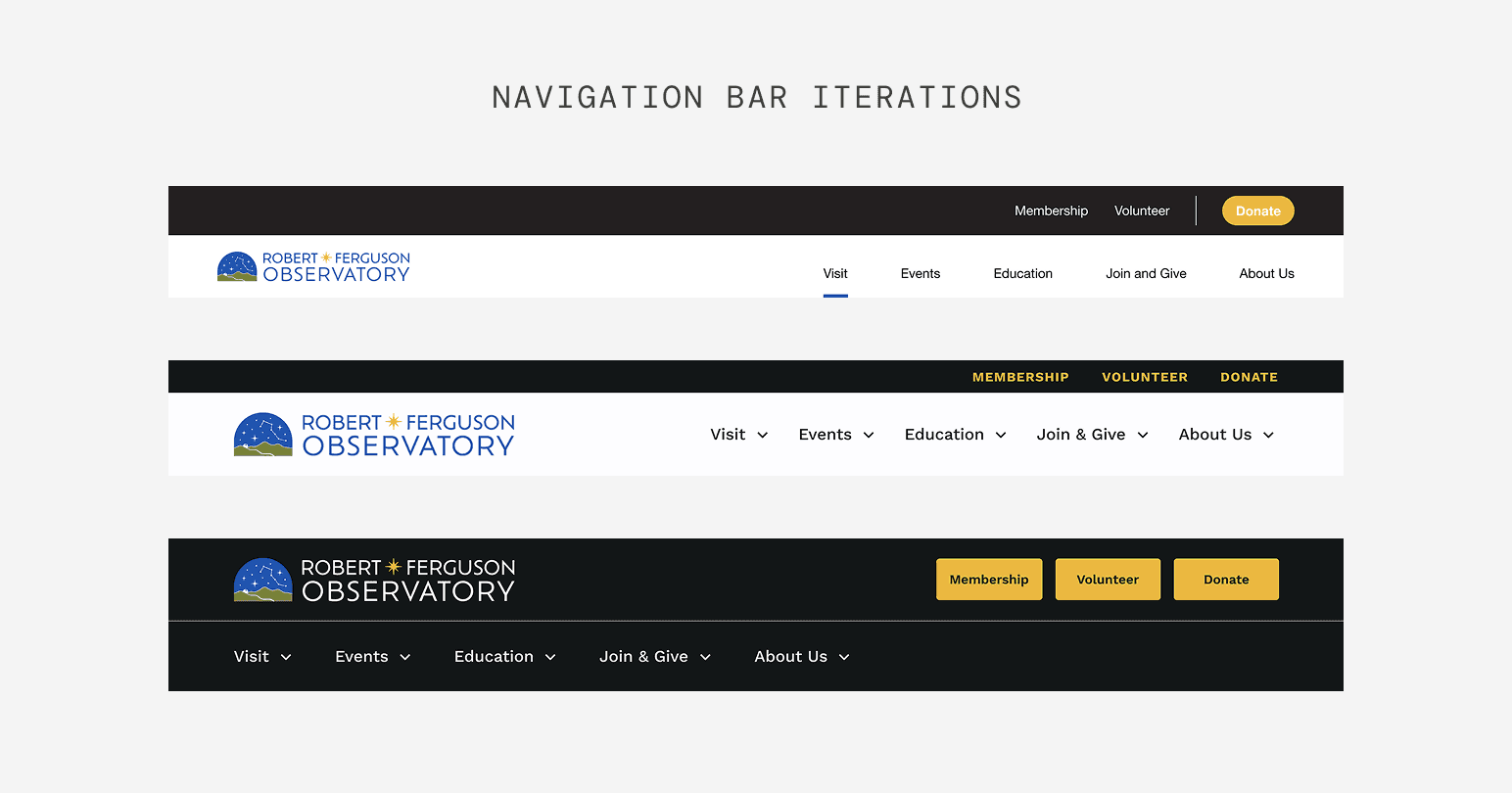
Building a visual identity solely based off a logo

Prior to the redesign, we were given solely a logo to base the new website design off of. We experimented with a variety of iterations to ensure we captured the client's vision.

process

Building a visual identity solely based off a logo

Prior to the redesign, we were given solely a logo to base the new website design off of. We experimented with a variety of iterations to ensure we captured the client's vision.

process

Building a visual identity solely based off a logo

Prior to the redesign, we were given solely a logo to base the new website design off of. We experimented with a variety of iterations to ensure we captured the client's vision.

process

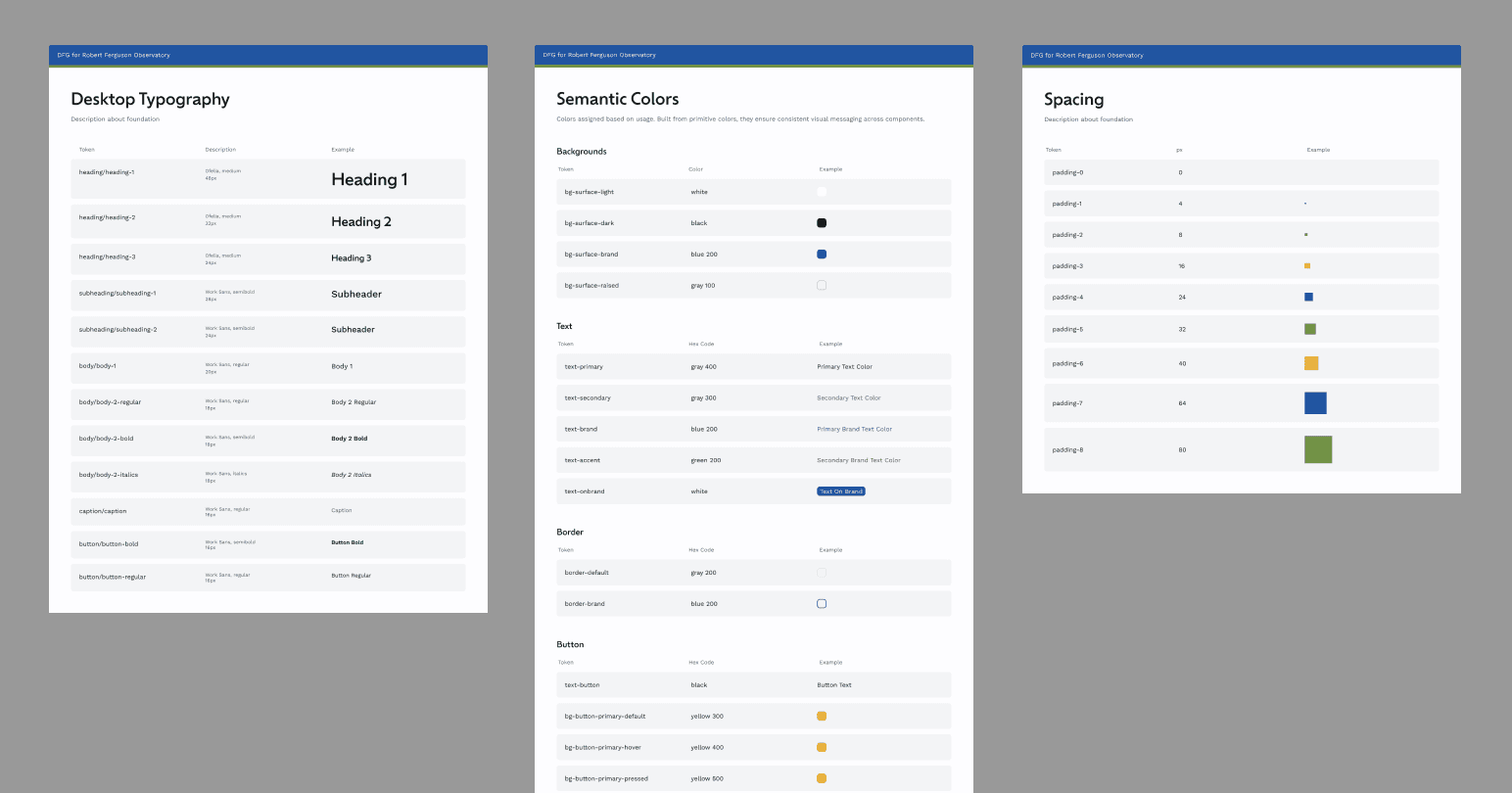
Owning design system development for consistency across our team

I set up and maintained our design system throughout the creation of our designs. Given that our team was virtual and worked asynchronously, this design system was crucial to keeping our designs consistent.

process

Owning design system development for consistency across our team

I set up and maintained our design system throughout the creation of our designs. Given that our team was virtual and worked asynchronously, this design system was crucial to keeping our designs consistent.

process

Owning design system development for consistency across our team

I set up and maintained our design system throughout the creation of our designs. Given that our team was virtual and worked asynchronously, this design system was crucial to keeping our designs consistent.

process

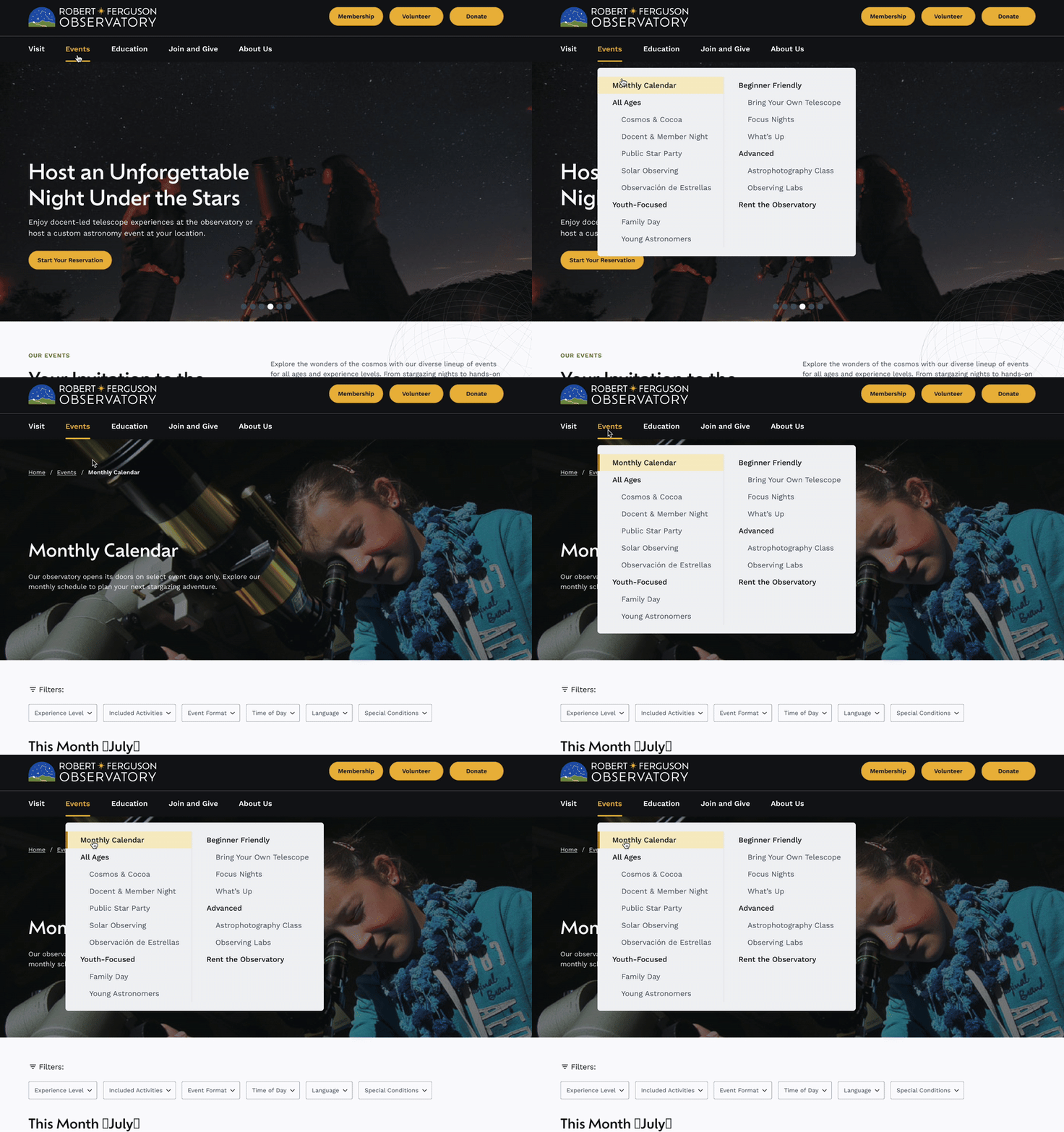
Conveying our ideas to the development team through prototyping

To ensure the interactions in our design were conveyed as intended, we prototyped certain functionalities.

Prototype to demonstrate the navigation bar behavior

process

Conveying our ideas to the development team through prototyping

To ensure the interactions in our design were conveyed as intended, we prototyped certain functionalities.

Prototype to demonstrate the navigation bar behavior

process

Conveying our ideas to the development team through prototyping

To ensure the interactions in our design were conveyed as intended, we prototyped certain functionalities.

Prototype to demonstrate the navigation bar behavior

reflection

Some key learnings and takeaways

Asynchronous collaboration

Working asynchronously required me to prioritize communication and building strong trust to ensure alignment and clarity across the team.

Navigating a new domain

Since this was a new product area for me, foundational research was key. By thoroughly studying similar products and organizations, I was better equipped to understand and design for the client.

Future Opportunities

How would I continue to build on this project?

User validation and testing

A second round of user testing would confirm that our implemented solutions effectively resolved the initial usability issues.

Design System Scalability

By building out foundational templates pages within the existing design, we would ensure the client has a robust, scalable system to easily maintain the site independently.

Thanks for stopping by!

Jessica Zhu © 2025

Thanks for stopping by!

Jessica Zhu © 2025

Thanks for stopping by!

Jessica Zhu © 2025